
Plan one truthful listing sequence
How to take product photos for Etsy
Turn one product into an Etsy listing sequence that answers what buyers cannot inspect in person: detail, scale, use, variation, condition and what is included.
Give every frame one clear job: introduce the item, reveal a defining detail, show scale or use, compare variations, explain process or packaging, or disclose condition. Distinct roles tell a fuller story with fewer repetitive images.
Use the shot-list and review steps to keep material, color, included contents and condition consistent while making the listing feel complete, trustworthy and worth exploring.
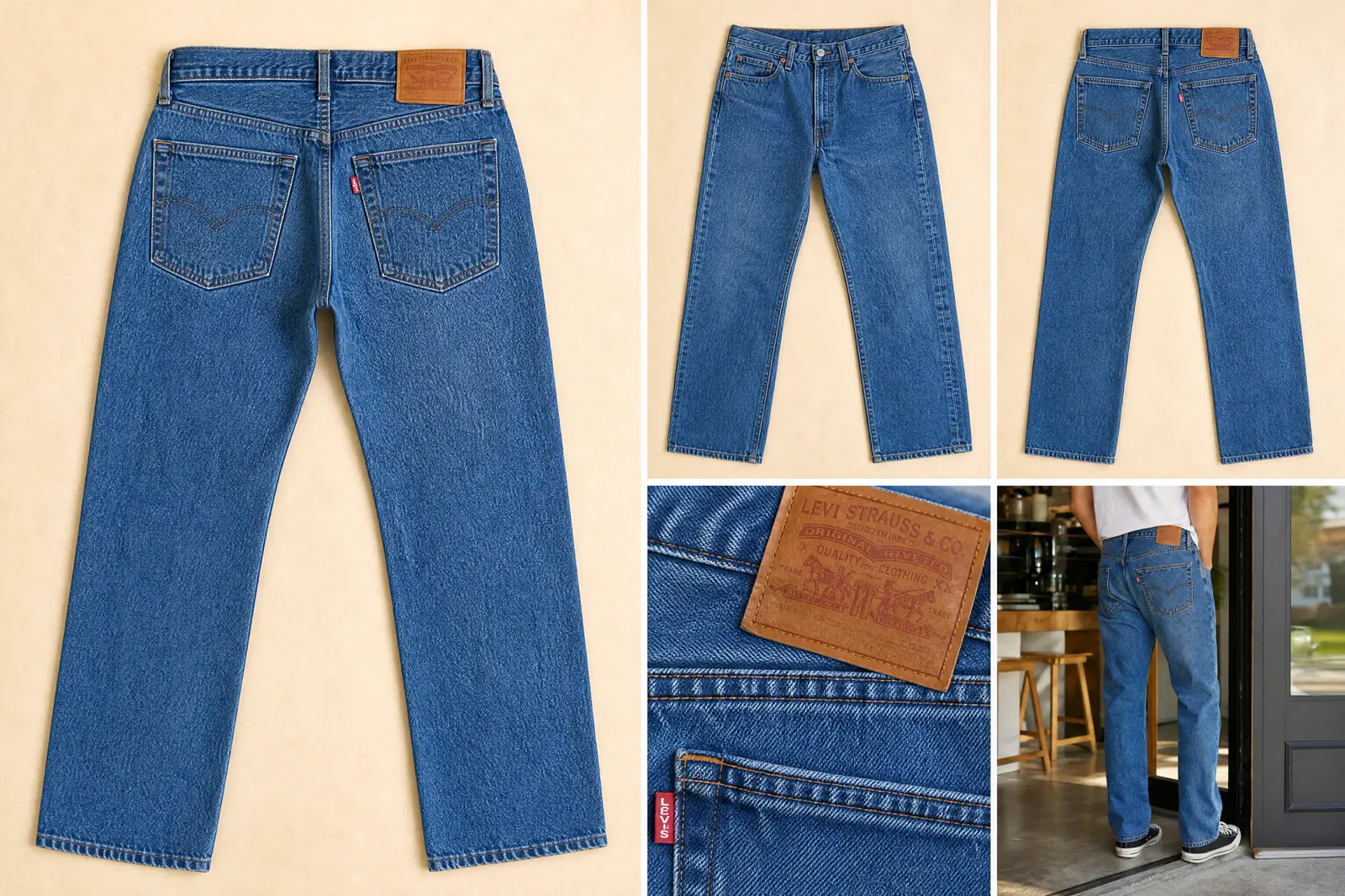
01 · Build the story
Give each listing photo a buyer question
There is no fixed universal photo count in this guide. Keep the frames that resolve distinct uncertainty and remove duplicates.
First photo
What is being sold?
Show the item clearly with truthful color, shape and product-first hierarchy. Preserve enough crop-safe space for the current listing contexts.
Detail
What can the buyer inspect?
Show material, construction, texture, finish, closure or another named fact at a useful review scale.
Scale and use
How large is it and how does it fit?
Use a truthful reference, hand, model or environment without implying an included object or changing perceived dimensions.
Variation
What changes between the options?
Keep angle, light, crop and product scale consistent so color, material or size choices remain easy to map.
Process or packaging
What evidence supports the item story?
Show a relevant making step, packaging or included component only when it communicates a true part of the listing.
Condition
What imperfection or history matters?
For vintage or one-of-a-kind items, disclose material wear, marks, repairs or condition details rather than styling around them.
02 · Branch only when the evidence changes
Adjust the plan for the item type
The Anchor sequence remains the main case. Keep a branch only when the item type changes a named evidence requirement or buyer risk.
| Item type | Additional evidence | Common ambiguity to prevent |
|---|---|---|
| Handmade | Relevant process, material and repeatable variation evidence. | A process prop or unfinished stage presented as the delivered item. |
| Vintage | Condition, wear, marks, repairs, dimensions and item-specific variation. | Retouching or styling that hides age or condition. |
| One of a kind | The exact item, unique details and current condition. | Showing a representative object that is not the item being sold. |
| Craft supply | Quantity, scale, material, color variation and what is included. | Props, finished examples or group arrangements that obscure the delivered amount. |
03 · Plan before the setup
Build the Etsy shot-list storyboard
Select only the roles that apply to the Anchor item. Each selected row should map to one fact or buyer question before the camera or generation workflow begins.
0 items selected for the next test or capture record.
04 · Capture what cannot be inspected
Use the same item to prove detail, scale and condition
The sequence is stronger when every frame describes the same real item instead of switching products to illustrate separate tips.
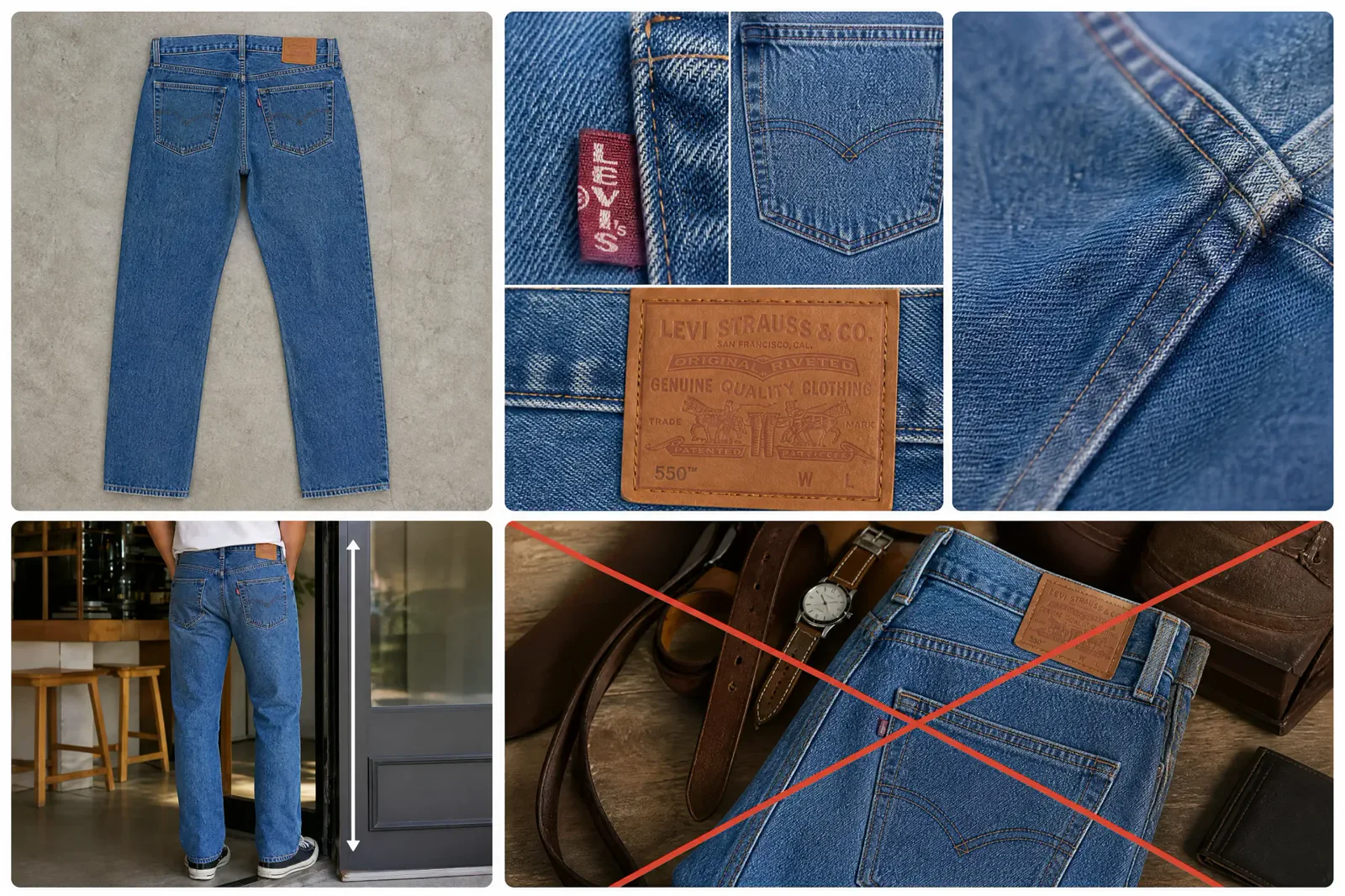
Prepare the item and setup so visible color, material and condition can be reviewed consistently. Use a stable camera position and light where comparison matters, then change the view only to answer the next planned question.
For an included-item or condition comparison, hold the item, crop and presentation constant while the named variable changes. The final caption should explain what the frame helps a buyer understand, not describe the production method.
05 · Review before the listing
Reject frames that make the item ambiguous
Styling can support the story, but it must not change what is being sold, what is included or how an option maps to the listing.
01A model or prop suggests an included item
Revise the composition, separation or sequence so the delivered item remains unmistakable. Do not rely on a later caption to repair a misleading first impression.
02Color or material differs between frames
Check mixed light, editing, display and whether a different variation was photographed. Keep variation labels tied to the actual item record.
03A condition detail is hidden
Add or revise the condition frame so the mark, wear or repair is visible at a useful scale and can be located on the item.
04Two frames answer the same question
Keep the clearer frame and use the slot for an unanswered detail, scale, variation or condition need.
06 · Inspect the real listing context
Check the sequence, crop and remaining gap
Preview the actual Etsy listing on desktop and mobile, including the thumbnail crop and full image sequence. Make sure the first image still identifies the item and every later image adds new information.
Sequence completeness
Every retained frame answers a distinct buyer question and every material uncertainty has a planned place.
Item truth
Material, color, dimensions, variation, condition, and included objects match the real item and listing details.
Current size and crop check
Use the Etsy Size Guide for the current dimensions, formats, crop preview, blur, and file diagnosis.
Choose the next action
Recapture a missing fact, prepare the approved files, or test one source-led visual only when the sequence contains a documented missing image role.
Questions that need judgment
Frequently asked questions
These answers cover the exceptions and review tests that still depend on context.
How should the photo plan change for a one-of-a-kind or vintage item?
Photograph the exact item rather than a representative substitute. Add its condition, wear, marks, repairs, dimensions, and unique details to the shot list. Keep editing restrained enough that the buyer can locate and understand those characteristics in the delivered item.
When can a model, prop or process image confuse what is included?
Confusion begins when the supporting object has similar visual weight, appears attached to the item or is not separated by composition and sequence. Review the frame without its caption: if a buyer could reasonably think the object is included, revise the hierarchy or create a clearer item-only reference.
How do I photograph variations without making color or material choices ambiguous?
Use the same camera, light, crop, and product scale for comparison, then change only the actual variation. Match each image name to the option shown in the listing and verify its color and material against the real item.
One clear item photo, a fuller listing
Create the Etsy listing images buyers still need
Start with one clear photo of the exact item, then use Adyvi to create a detail view, scale cue, lifestyle scene, variation image, or promotional visual—without rebuilding the set for every shot.
Create my Etsy listing images