
Plan the image before styling it
Product photography ideas with a job to do
Stop collecting inspiration that never becomes a usable image. Choose ideas that make the product easier to understand, more distinctive and ready for the exact place it needs to sell.
Start with the buyer question your current gallery leaves unanswered: what the product is, how it feels, how large it is, how it is used or why it stands out. This guide turns that gap into a focused visual direction.
Then turn the direction into a practical brief for composition, setting, crop and product details that must stay true, so the idea can move from a moodboard to an image you can confidently choose.
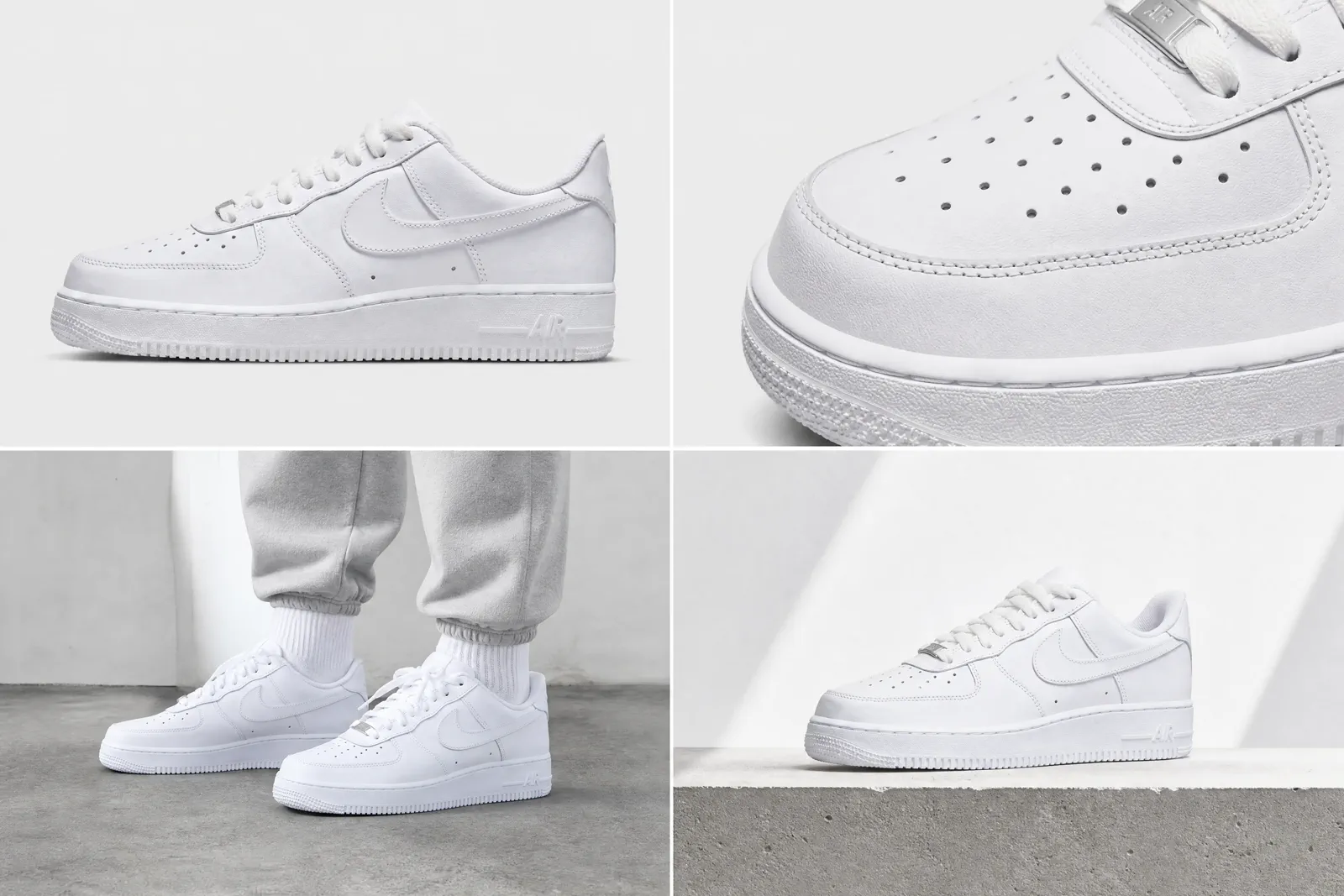
01 · Start with the question
Give every image a distinct job
A useful set is built around decisions a shopper or marketer still needs to make, not around a quota of attractive photographs.
Identity
What exactly is the product?
Use a clear product-led frame when shape, color, label and included pieces must be recognized immediately. Keep styling subordinate to identification.
Detail proof
What quality can the buyer inspect?
Move close enough to show material, finish, construction, texture or a functional detail. The frame should prove a named product fact rather than add visual noise.
Scale and use
How large is it, and how is it handled?
Show the product with a truthful reference, body relationship or use context. Avoid a prop or crop that changes perceived size or suggests an included accessory.
Variation
What changes between options?
Keep angle, scale, light and crop consistent while the color, material or size option changes. The variation should remain easy to map to the actual choice.
Atmosphere
What should the campaign feel like?
Use setting, palette and light to express a brand direction only after the product remains recognizable and the intended placement is known.
02 · Explore with constraints
Filter ideas by the decision they support
Use the library to narrow a direction, then write down its best use, product constraint and reason to avoid it. Filters organize the page; they do not create separate indexable URLs.
Identity
Clean catalog anchor
Best for immediate product recognition. Keep the full silhouette, factual color and label legible; avoid when the placement needs a stronger use story.
Detail proof
Material close-up
Best for finish, weave, joinery or surface proof. Avoid a crop so tight that the detail can no longer be located on the product.
Scale & use
In-hand scale
Best when dimensions alone are hard to imagine. Check that the hand, model or reference object does not imply a false size or included item.
Campaign mood
Brand-color campaign
Best for a campaign placement with an approved palette. Avoid low contrast that hides the product edge or changes its visible color.
Identity
Consistent variation lineup
Best for comparing options. Freeze camera, crop, product scale and light so the option itself is the only meaningful change.
Detail proof
Construction proof
Best for closures, seams, controls or product mechanisms. Show the working detail without implying performance that has not been verified.
Scale & use
Product in use
Best when use, fit or placement resolves uncertainty. Preserve realistic scale, contact, shadow and product condition.
Campaign mood
Seasonal setting
Best for a dated campaign or collection. Avoid a seasonal device that overwhelms the product or cannot be reused in the intended crop.
03 · Include the no
Show the complete chosen-and-rejected decision
Keep one product, one approved source and one intended placement throughout the case. The comparison is valuable only when the rejection reason is as visible as the selected result.
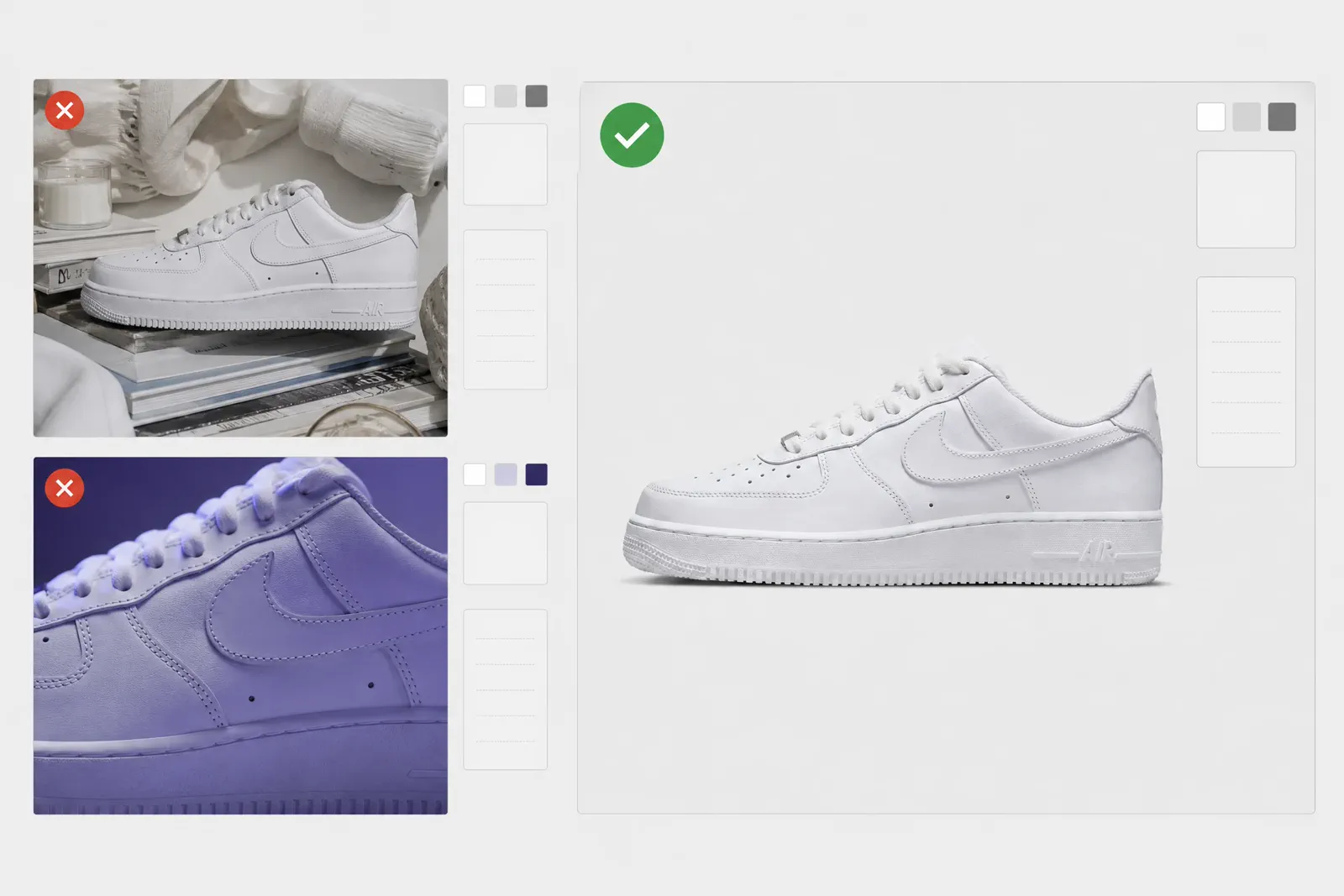
Write the problem before showing the images: what was missing from the current set, what the placement had to communicate, and which product facts could not change. Record the source image and the exclusions in the same brief used for every direction.
Review the alternatives at the intended crop and reading distance. A direction can be attractive and still fail because the product becomes secondary, a material looks wrong, the crop removes the useful detail or the setting creates an unsupported claim.
01SelectedThe image answers the planned question
The product remains identifiable, the intended detail survives the crop and the background supports the placement without inventing a new product fact.
- Same approved source and product facts
- Named image role and placement
- Visible approval reason
02RejectedThe image is attractive but fails the brief
Reject the direction when hierarchy, crop, scale, material, included objects or production difficulty conflicts with the agreed job.
- Record the exact failed criterion
- Do not switch to a more convenient product
- Keep the rejected frame in the decision record
04 · Shortlist
Score every direction against the same criteria
The scorecard is a decision aid, not an automatic winner. A weak product-truth score can disqualify a direction even when its visual distinctiveness is high.
| Criterion | Question to ask | Reject or revise when |
|---|---|---|
| Information value | Does this frame answer a buyer or placement question the set does not already answer? | It duplicates another image role. |
| Product truth | Are shape, color, material, scale, condition and included objects still accurate? | A visible fact changes or becomes ambiguous. |
| Feasibility | Can the direction be produced, reviewed and repeated with the available inputs? | The execution depends on an unavailable asset or untestable effect. |
| Crop resilience | Does the important product information survive the intended placement? | The usable crop removes the product, label or proof detail. |
| Reuse and cost | Can the approved direction support the planned derivatives without creating unnecessary production work? | Every placement requires a new concept with no added information value. |
Apply the same rubric to chosen and rejected directions. Record the reason for an exception instead of hiding it behind a total score.
05 · Make it executable
Turn the selected idea into a Creative Brief
A second producer should be able to execute or test the direction without guessing what must stay true.
Product source and must-preserve facts
Name the approved source, required view, label, material, proportions, color and any condition or variation that must remain unchanged.
Image role and placement
State the buyer question, destination, crop, reading distance and whether the image is identity, proof, scale/use, variation or atmosphere.
Composition and visual direction
Describe product scale, position, background, light, prop job and negative space. Avoid a list of style words with no compositional instruction.
Exclusions and approval criteria
List objects, claims, crops, and product changes that are not allowed. Define which product facts must remain correct before using the direction.
06 · Choose the production path
Let the approved brief determine the next action
A background decision belongs in the Background Guide; a supporting-object decision belongs in the Props Guide. Test a Adyvi direction only after the role and truth checks are explicit.
Plan the supporting objects
Use the Props Guide when an object needs a clear communication job, truthful scale and product-first hierarchy.
Choose the background system
Use the Background Guide when color, surface, edge separation, placement or production method still needs a decision.
Run one focused creation test
Use the approved source and Creative Brief for a small comparison. Review every result against the same product facts and placement criteria.
Questions that need judgment
Frequently asked questions
These answers cover the exceptions and review tests that still depend on context.
How can I tell whether an idea is distinctive rather than merely unusual?
A distinctive idea makes the product easier to understand or remember while preserving its factual appearance and fitting the intended placement. An unusual idea that hides the product, duplicates another image role or depends on novelty alone should be revised or rejected.
When should one concept be adapted across placements instead of creating separate concepts?
Adapt one concept when its product truth, hierarchy and core message survive the required crops and reading distances. Create a separate direction when a placement asks a different buyer question, needs materially different negative space or removes the evidence the original image was designed to show.
What can I learn from competitor imagery without copying it?
Study recurring image roles, missing buyer information, crop patterns, hierarchy and production constraints. Write those observations as a problem to solve, then build an original brief from your own product facts, brand system and placement rather than reproducing a competitor composition.
From idea to image
Turn the idea in your head into a product visual
Upload a clear product photo and describe the mood, setting, composition, or campaign purpose. Adyvi turns the direction into an image you can see and use, without starting from a blank canvas.
Turn my idea into a product image